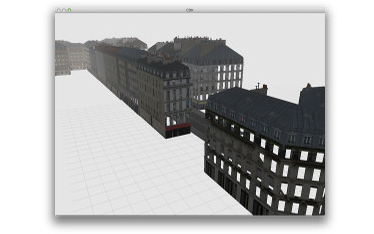
3ds/obj model viewer

Another great piece of software if you need to edit/view meshes is Meshlab:

The only limitation is the maximum number of vertices that are saveable into the 3ds format.

Posted in Uncategorized | Leave a comment

Location-aware MOOS

This code demonstrates the MOOS codebase operating with the Location Manager in iOS.

Download the source code

Get the project on github.

Posted in Uncategorized | Leave a comment

Awesome OS X CAD model viewer

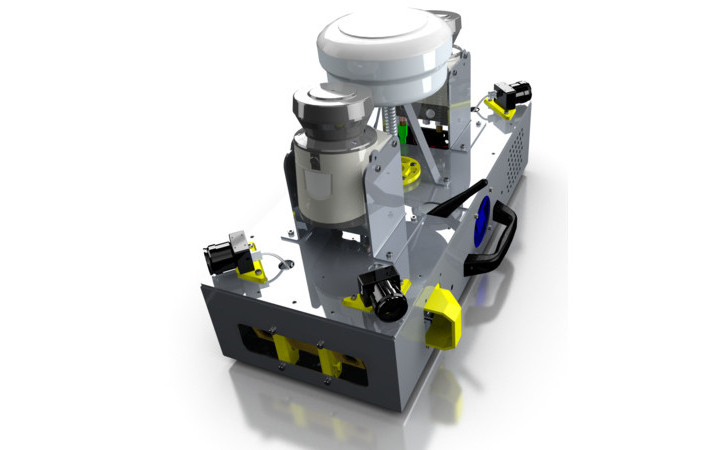
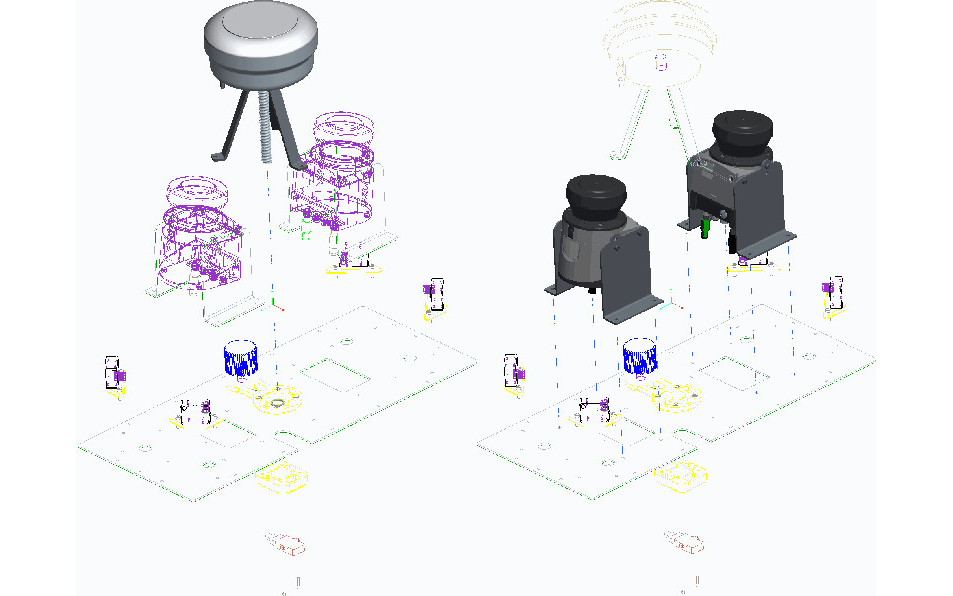
Users of most CAD/CAM packages will be familiar with the problem of viewing 3D models on a Mac. I have recently been using Pro/ENGINEER for some sheet-metal design work, and using the excellent GLC Player to view models on a Mac – this project is worth a look if you have a similar setup.

GLC Player

GLC Player software

Posted in CAD, OSX | Leave a comment

Easy Device Drivers

A current project required a small diagnostic utility to run at boot-time to report on the status of various modules and sensors, and I found myself writing a utility to check the status of various FireWire cameras in python, which led naturally to the absolutely fantastic pydc1394 project. Using pydc1394 in my code, I found that I could write an image-logging device driver in all of 48 lines of code:

This simple driver logged at frame-rate for several hours, with two different types of PointGrey cameras with minimal modification.

Posted in Uncategorized | 2 Comments

libusb & OS X

This has been discussed in many places, namely here, and here. On Snow Leopard, the Info.plist that works for me is available here below:

Posted in Code, OSX | Leave a comment

Piping raw data info ffmpeg

FFMPEG is a great swiss-army tool for video manipulation. I recently had need to use ffmpeg and ffserver to pass a video feed – constructed of static images – to a remote server, for wider redistribution. Searching google, the top hit for “piping rgb data to ffmpeg” results in this article from Kyle Cordes, which is several years old. In the article, Kyle details his efforts in piping raw data into ffmpeg, and the requisite conversion from RGB to the yuv4mpegpipe format.

There has apparently been quite some progress on ffmpeg since that article, as now piping data into ffmpeg is relatively easy. Firstly, create your pipe:

$ mkfifo image_pipe

Then, using your own code, write the data to the pipe in RGB tuples:

...
fifo f();
f.open( "image_pipe");
std::vector<image>::iterator it = images.begin();
while( it != images.end() )
    f.write( it->m_data, it->height, it->width );
...

Then, invoke ffmpeg with the command:

$ ffmpeg -f rawvideo -pix_fmt rgb24 -s 512x384 -y -an -i \
 ./image_pipe http://localhost:8090/image_feed.ffm

which will stream the images direct to your server for redistribution.

Posted in Uncategorized | 2 Comments

MOOS! Gumstix!

Gumstix modules are powerful, lightweight computing modules developed specifically for embedded applications. Developing applications for Gumstix modules is merely a case of assembling the correct bitbake recipe for you code.

As the newer Gumstix offerings (Water, Fire, Earth, Air) all use OpenEmbedded, developing (or porting) applications to them is relatively simple.Interested in getting the code? Fork the project on github.

Building the codebase (assuming you have set up your build environment as specified here is simply a case of calling:

$ bitbake -b moos.bb

The code-base is lower-case due to bitbake requirements. After the build, you can transfer the resulting moos_{$VER}.ipk file onto your Gumistix device and install it in the usual way:

$ opkg install moos_{$VER}.ipk


Posted in Gumstix, Platforms | Leave a comment

MOOS. iPhone. Synergy. Other buzz words.

ATRV control with an iPhone

With the iPhone being completely compatible with c++, interfacing your application with the MOOS codebase is a snap.

There are two applications in this codebase – one is a very simple controller for a vehicle that consumes standard VELOCITY andHEADING commands. This app has not been distributed through the app store, therefore you will either need to:

  1. Download* the source code and build the project with your own personal key, or:
  2. Download* the application and use the attached provisioning profile to install the package onto your iPhone/iPod touch.

There are two basic apps available – a simple standard controller, and an app similar in functionality to the uMS application. Both are extremely simplistic, however they may just shorten your time to development if you are in a hurry. Comments and feedback are always appreciated.


*Please see the newer post here

Posted in iPhone, Platforms, Robots | 2 Comments

Using the Motion-Strategy Library

Using the Motion Strategy Library

The Motion Strategy Library (MSL) developed by Steve LaValle @Illinois is a fantastic stochastic-planning library. With some of the dependencies of the library having recently changed, have a gander at what you need to do to get the code up and running.

Here are some questions I have been receiving about compiling MSL:

  • Q.Configure complains about not finding libFOX
  • A. Ensure that you have installed the FOX libraries in a place that configure knows about, or, use the –with-fox-libs directive.
  • Q.Of course I have done that, but it still can’t find the libraries
  • A. Ensure that you have re-named libFOX-1.X.XX.a to libFOX.a or add in a symbolic link.
  • Q.Great, now how do I divorce the planning engine from the GUI?
  • A. There is a gui-free example in the tests folder named - nogui.c Using the code in this way requires you to have some way of interfacing your geometry with that of the planner.


Posted in Uncategorized | Leave a comment

pyMOOS

This is an implementation of the client interface to MOOS for Python. Currently, the code makes use of the excellent Boost::Python interface. This does introduce an additional dependency (you will require libboost_python.{so,dylib} in order to use the code. This project is now on sourceforge, and works with the wire-protocol of the cureent MOOS svn HEAD.


Posted in Code, MOOS, Python | 2 Comments